
Clipboard Action 1.5.7
- Версия
- Clipboard Action 1.5.7
- Разработчик
- Jan Valta
- Язык интерфейса
- Английский
- Активация
- K'ed by HCiSO
- Совместимость
- macOS 10.12 и новее
Похожие программы




Скриншоты
Нажмите, чтобы увеличить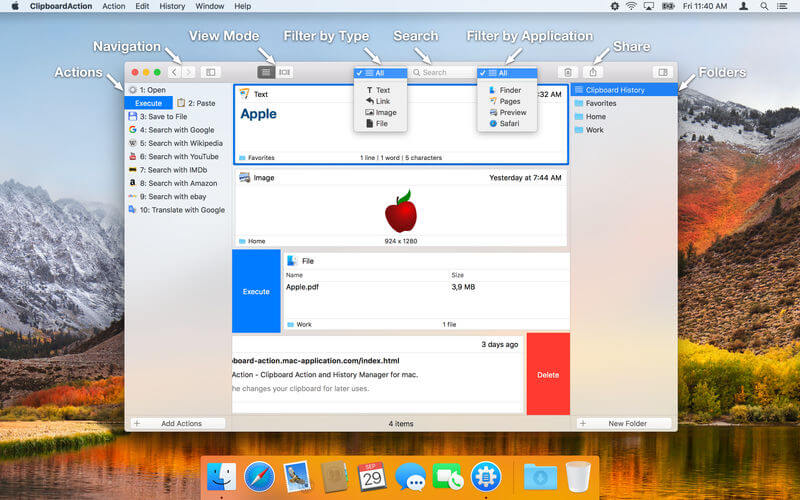
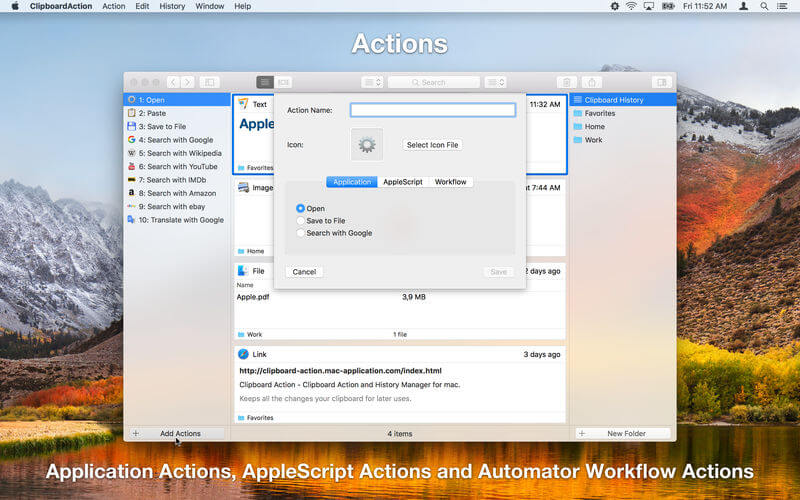
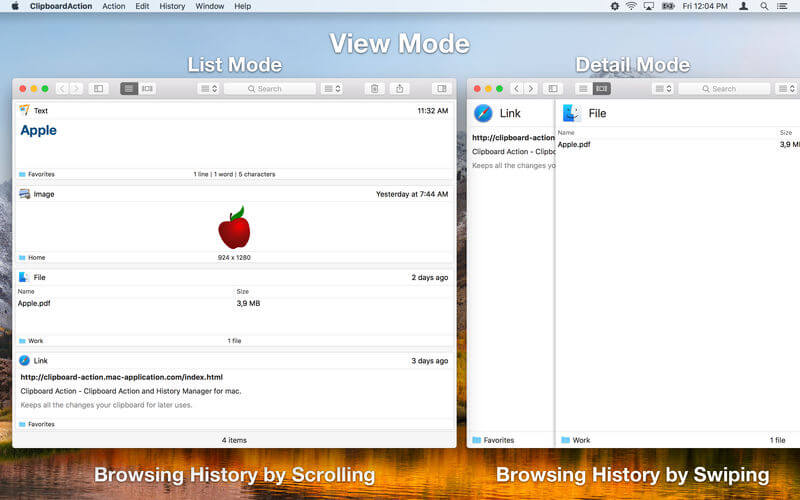
Clipboard Action - простой менеджер истории буфера обмена для Mac. Он сохраняет все изменения, которые были добавлены в буфер обмена для последующего использования.
Key features:
- View Modes - List and detail view mode.
- Native Mac Interface - Execute action or delete content by swipe gesture.
- Browsing Clipboard History - By swipe gesture, navigation buttons or keyboard shortcuts.
- Default Application Actions - Open, Save to File and Search with Google.
- Custom Actions - User defined actions using AppleScript or Automator Workflow.
- Folders - Organize your content to Folders.
- Search and Filter Content - text search and filter by content type or by aplication from which was content copied.
- Content Selection - There is no need to work with the whole content, just select a part of text and work with them.
- Content Sharing - Share clipboard content with your friends.
- Drag and Drop - Drag and drop content to any application.
- Global Shortcuts - Show application from anywhere.
- Global System Service - Use selected text from anywhere.
- Shortcuts - Execute actions by shortcut Cmd + 1 .. Cmd + 10.
- Mode without Dock Icon - Show application window on active screen and active space.
- Ignored Applications - Ignore the copied content from these applications.
- Touch Bar Support - Navigation in the clipboard history and execute actions.
- Launch Application at Login.
Version 1.5.7
- Small Improvements.
Комментарии
Комментариев пока нет. Будьте первым
Комментарии оставляют зарегистрированные пользователи.